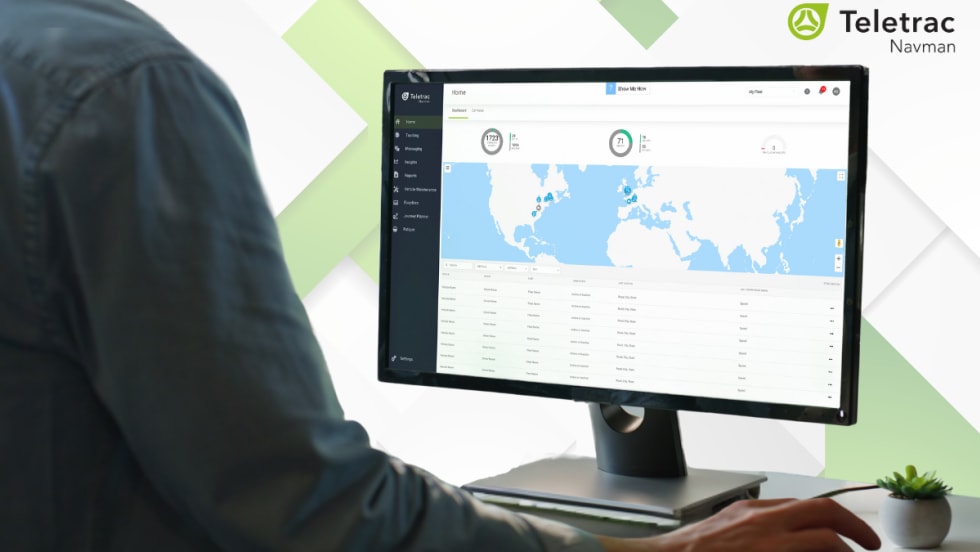






Launched in December 2025, Ford Pro has added Asset Tracking to its telematics services.
Key features of this software update include:
Live GPS maps
Battery status
Trip history
Geotracking notification when equipment moves
Accessible via Ford Pro Telematics Drive app
Battery level monitoring and alerts
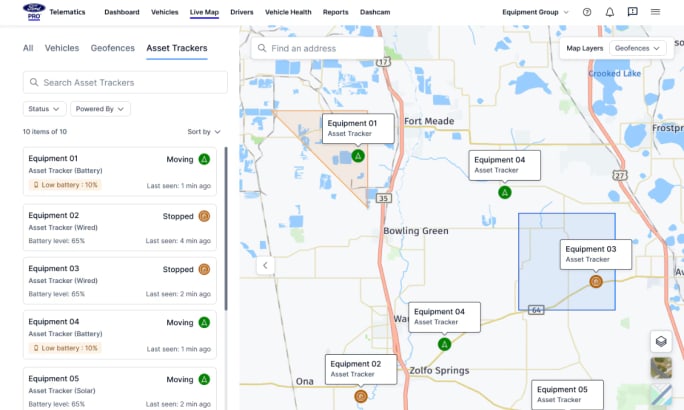
The mobile app’s live map highlights tracked assets and vehicles in real time using GPS data.
Credit: Ford Pro
Tire Pressure Visibility, Lock/Unlock Status, Speed and Acceleration, and More
This software update has also improved tire pressure data visibility across fleets with multiple vehicle makes and models, including:
Early warning for low tire pressure
Improved vehicle uptime
More opportunities for proactive maintenance and potential cost savings
Ford Pro Telematics includes remote lock and unlock commands, alerts if a door is left open, and messages explaining why a command fails.
Fleet managers can now set and enforce speed acceleration limits directly through the software on eligible Super Duty, Transit, and E-Transit vehicles, no additional hardware required.
This helps:
Lower costs: Get the same functionality as external limiter devices without the purchase, installation, or maintenance costs.
Driving behavior management: Control vehicle speed and acceleration to help prevent risky maneuvers.
Custom settings: Easily adjust limits to match your fleet’s needs – from delivery routes to heavy-duty operations.
Regulation-ready: Support compliance and help your fleet avoid violations and stay protected.
Reviewing dashcam footage is also easier. Fleet managers can now filter by date range and sort by newest or oldest. It also includes quicker searches, better sorting, and smoother reviews.
Ford Pro Telematics Drive now allows fleet managers to search by vehicle name and license plate, making it easier to find the vehicle you are looking for without the VIN.
Advanced Analytics allows fleet managers to dig deeper into their data to make data-driven decisions more easily.
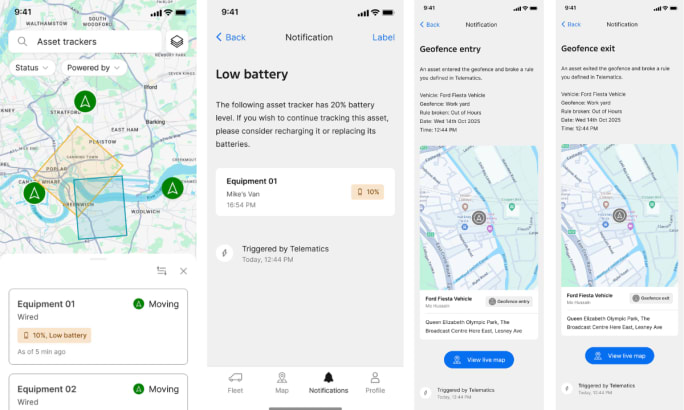
The mobile app provides quick access to location, battery level, and asset status.
Credit: Ford Pro
Live Map, Filter, and Low Battery Notifications
Ford Pro Telematics asset trackers can be monitored right from the Ford Pro Telematics app. All trackers are visible in the app via the live map or the list view, depending on your preference.
There is a search bar to find a specific asset, as well as filters to sort by status, battery level, and power type.
Fleet managers can now monitor asset health via the app as well. Updated low-battery alerts will notify fleet managers when a tracker's battery drops to 20%.
The alerts appear in the app’s notification tab and on the Telematics web platform.
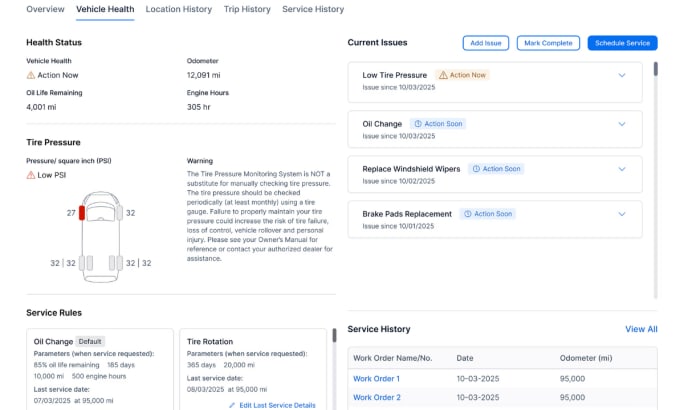
The Ford Pro dashboard illustrates expanded Tire Pressure Visibility and other telematics features.
Credit: Ford Pro
Geofence Improvements and Vehicle Efficiency REST API
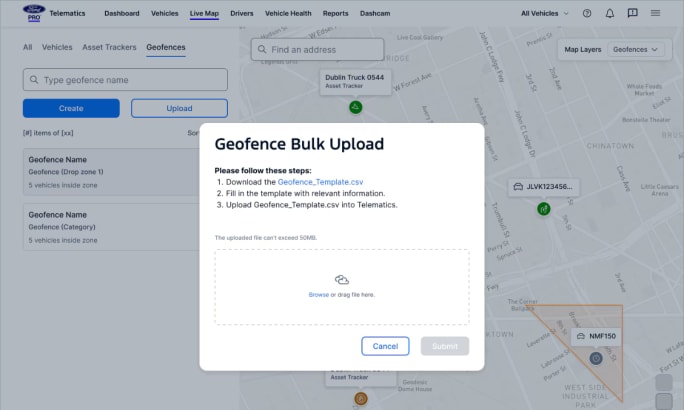
For larger fleets, geofences can be created using the new Geofence Bulk Import Tool.
This feature allows fleet managers to:
Independently create and manage vast numbers of geofences
Eliminate manual processing
Significantly boost operational efficiency and scalability
This tool allows fleet managers to create a single geofence and apply it to multiple groups at once. This makes management easier, more efficient, and streamlined.
Fleets can now manage equipment tracking without leaving the app.
Credit: Ford Pro
This tool also allows fleet managers to monitor geofence rules violations right from the app. The entry and exit notifications received on the web platform are now also available in the app for on-the-go monitoring.
The Vehicle Efficiency REST API allows fleet managers to access detailed information on fuel and energy use. It includes insights on fuel consumption, efficiency, distance, and idle time.
This API also allows fleet managers to pull VIN-specific data into their own tools for complete integration and historical data.
Your Leading Fleets Application Can Do More Than Win an Award